



I’ve been exploring the effectiveness of the Apache Reverse Proxy for cPanel and WHM for a while now. After experimenting with various setups, I’m ready to share my findings and address the real question: Is it truly worth it?
But before we decide on its value, we first need to understand how an Apache Reverse Proxy works with these platforms.
How Apache Reverse Proxy Works with WHM And cPanel
Apache Reverse Proxy acts as an intermediary for requests from clients seeking resources from servers that host platforms like cPanel and WHM. It takes requests from users and forwards them to the server that runs your website or management tools.
Here are four key advantages of using a reverse proxy:
1. Easier to Remember and Use
Normally, to use cPanel or WHM, you need to remember and type in port numbers and the website address. A reverse proxy lets you skip the port numbers. For WHM, don’t type something complicated like “example.com:2087”. Just type “example.com/whm”. It’s much simpler and easier to remember.
2. Better Security
When you visit websites, there is a technology called SSL/TLS. It helps keep your information safe. SSL/TLS turns “http” into “https” in your browser’s address bar.
This change shows that your connection is secure. A reverse proxy can make cPanel and WHM use this security technology better. It acts like a shield, adding extra protection. This makes it harder for unwanted visitors to see the data between your computer and your server.
3. Faster and Smoother Experience
A reverse proxy can make your cPanel and WHM run smoother and faster. It can save (or “cache”) parts of your sites that don’t change often. This means when someone visits your site, the reverse proxy can show these saved parts.
It won’t have to ask the server again, which can speed things up. Also, it can handle the SSL/TLS security stuff itself, taking some work off your server’s shoulders. This can speed up everything. It will make loading your website and accessing your cPanel or WHM faster.
How To Set Up Apache Reverse Proxy For cPanel And WHM Access
Step 1: Log into WHM
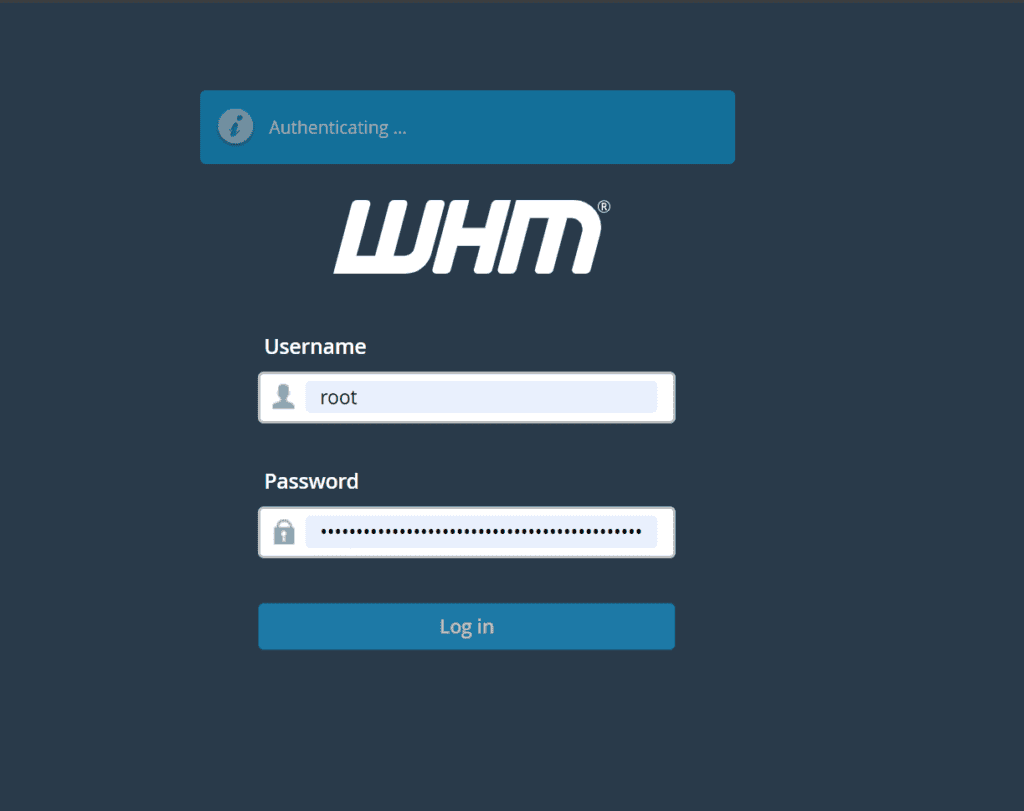
To access your WHM interface, go to https://yourserver.example.com:2087 in your web browser. Replace yourserver.example.com with your actual server’s domain or IP address.
Step 2: Open Apache Include Editor
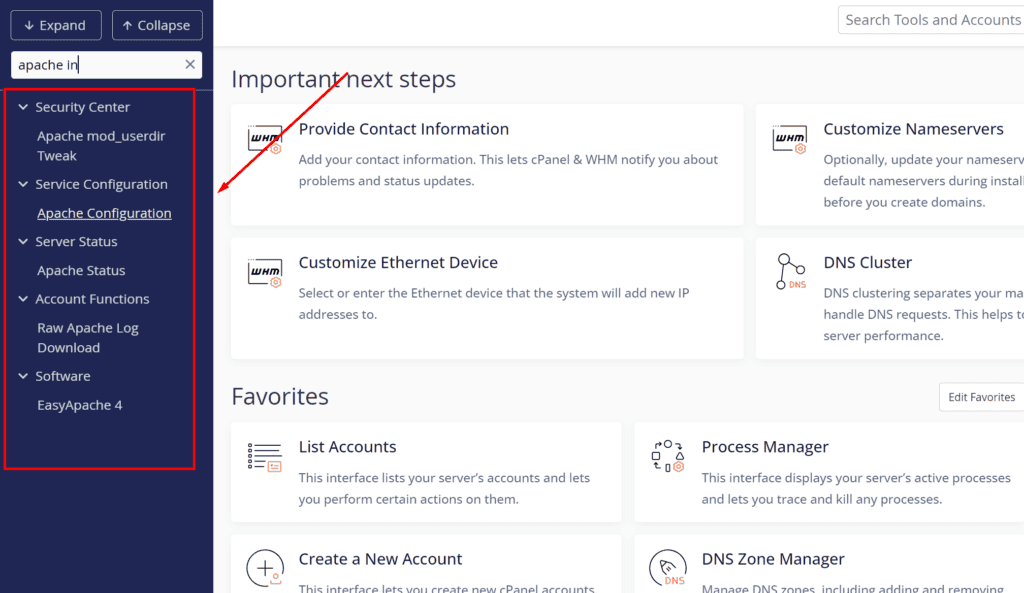
In WHM, find the “Service Configuration” section. Click on “Apache Configuration” and select “Include Editor.” This tool lets you safely change your Apache setup.
Step 3: Edit Pre VirtualHost Include
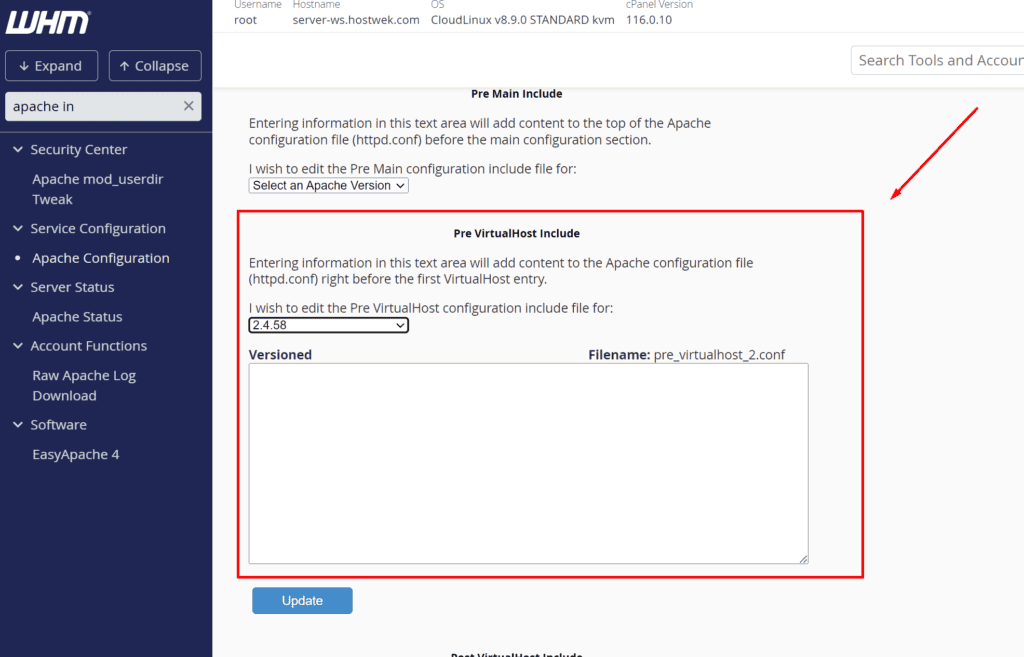
Choose to edit the “Pre VirtualHost Include” for Apache 2.4. This section lets you add directives. They apply globally. They affect all virtual hosts on your server.
Step 4: Add Reverse Proxy Configuration
In the editor, paste the following configuration, customizing domain names and paths as necessary:
SSLProxyEngine On
SSLProxyVerify none
SSLProxyCheckPeerCN off
SSLProxyCheckPeerName off
SSLProxyCheckPeerExpire off

# Reverse proxy setup for WHM
ProxyPass /whm https://yourdomain.com:2087/
ProxyPassReverse /whm https://yourdomain.com:2087/

# Reverse proxy setup for cPanel
ProxyPass /cpanel https://yourdomain.com:2083/
ProxyPassReverse /cpanel https://yourdomain.com:2083/
This configuration directs traffic from yourdomain.com/ whm to WHM and yourdomain.com/cpanel
Once you’ve entered all the necessary settings, make sure to save your changes. You’ll then see a prompt from WHM asking you to restart Apache. This is to make sure the new settings take effect.
Step 5: Restart Apache
When WHM asks you to confirm, go ahead and restart Apache. This is a crucial step to ensure that your Apache server is now running with the new reverse proxy configuration.
Step 6: Verify the Configuration
To make sure everything is set up correctly, visit yourdomain.com/cpanel and yourdomain.com/whm. Both pages should open properly, showing their respective interfaces without including port numbers in the URLs.
So is Apache Reverse Proxy for cpanel and whm worthy?
Considering the advantages Apache Reverse Proxy offers, such as simplified access, enhanced security, improved performance, and effective load balancing, using an Apache Reverse Proxy with cPanel and WHM seems worthwhile for many scenarios.
However, it’s important to note some limitations. In practical terms, while I found the proxy exceptionally useful for general web management, it struggled with specific tasks like accessing email through cPanel’s default port 2096. This indicates that not all server functions are ideally suited for this setup.
cPanel and WHM also support NGINX as a reverse proxy, which can similarly improve traffic redirection and server efficiency. Both systems have their strengths, and choosing between them might depend on your particular needs and the specific challenges you face in your server environment.
Have you experimented with reverse proxies and faced challenges with certain ports or found effective solutions? Please share your experiences in the comments below.