



Integrating M-Pesa into your WordPress website is a wise decision for any online business, especially in areas where mobile money is popular.
Selecting the right M-Pesa WordPress plugins can improve your customers’ payment experience, boosting their satisfaction and loyalty.
Below, you’ll find the top 5 best M-Pesa WordPress plugins, each recognized for its ease of use, reliability, and features that cater to a variety of business needs.
Whether you’re managing an e-commerce site or a donation platform, you’ll find a plugin that suits your requirements.
Comparison Table Of The Best M-Pesa WordPress Plugins
Before we get into the details of these plugins, it’s a good idea to check out the table below to see what each one offers.
| Plugin Name | Integration Level | Key Features | User-Friendly | Pricing |
|---|---|---|---|---|
| M-Pesa for WooCommerce | Full WooCommerce Integration | C2B and B2C transactions, Automatic order updates | High | Free, premium features available |
| Payment Gateway – Mpesa for WooCommerce | Full WooCommerce Integration | Supports Paybill and Till Number, Automatic order updates | High | Free, charges for advanced features |
| Send to Mpesa Payment Gateway | Direct phone number payments | Manual payment confirmation, Simple setup | Medium | Free |
| Paytalk Lipa Na Mpesa | Simple setup via Daraja Portal | Paybill and Till number integration | High | Free, may incur additional costs |
| EeroPay Payment Gateway | Direct integration with M-Pesa | Supports PayBill and Till numbers, tailored for African markets | High | Varies (contact for pricing) |
1. M-Pesa for WooCommerce
The M-Pesa for WooCommerce plugin offers a seamless way to integrate M-Pesa payments into your WooCommerce store. It supports both Customer-to-business (C2B) and Business-to-customer (B2C) transactions, making it versatile for different payment scenarios.
The plugin is designed with user-friendliness in mind, ensuring a smooth payment process for both you and your customers.
- Features:
- Seamless integration with WooCommerce.
- Supports C2B and B2C transactions.
- Automatic order updates for real-time payment tracking.
- Pros:
- Easy to set up and use.
- Enhances customer payment experience.
- Reliable and secure payment processing.
- Cons:
- Limited to WooCommerce users.
- Pricing: Free to download, with optional premium features.
2. Payment Gateway – Mpesa for WooCommerce
The Payment Gateway – Mpesa for WooCommerce plugin offers a simple way to integrate M-Pesa payment options into your WooCommerce store.

This plugin allows customers to pay for their purchases using M-Pesa, a widely used mobile payment service in Kenya and other regions.
It’s designed to provide a seamless payment experience, making it easier for customers to complete their transactions.
- Features:
- Easy integration with WooCommerce: The plugin seamlessly integrates with your WooCommerce store, adding M-Pesa as a payment option during checkout.
- M-Pesa Paybill and Till Number support: You can configure the plugin to work with your M-Pesa Paybill or Till Number, ensuring that payments are directly credited to your account.
- Automatic order updates: When a payment is made, the plugin automatically updates the order status in your WooCommerce store, keeping you informed about the transaction’s progress.
- Pros:
- Enhances customer convenience by providing a familiar and trusted payment method.
- Simplifies the payment process, leading to a smoother checkout experience.
- Increases accessibility for customers who prefer using mobile money services.
- Cons:
- Limited to regions where M-Pesa is operational.
- Requires a Paybill or Till Number from Safaricom, which may involve additional setup steps.
- Pricing: The plugin is available for free, but some advanced features might require a premium version.
3. Send to Mpesa Payment Gateway
The Send to Mpesa Payment Gateway plugin is designed for WooCommerce users who do not have a PayBill or Till number. It allows them to receive payments directly to their business or personal phone number.
Customers can make payments by following instructions added to the settings page, and the plugin provides fields for manual confirmation of the payment, including the customer’s name, mobile number, and Mpesa transaction code.
- Features:
- Allows payments to be sent directly to a phone number.
- Manual confirmation of payment with important transaction fields.
- Simple setup without the need for a PayBill or Till number.
- Pros:
- Ideal for small eCommerce websites or individuals.
- Easy to install and configure.
- Increases payment accessibility for customers.
- Cons:
- Lacks API verification for automated payment confirmation.
- Manual confirmation process may be time-consuming for larger volumes of transactions.
- Pricing: Free
4. Paytalk Lipa Na Mpesa
The Paytalk Lipa Na Mpesa plugin is a valuable addition to the collection of M-Pesa WordPress Plugins, offering a straightforward way for WooCommerce users to incorporate M-Pesa payments into their online stores.
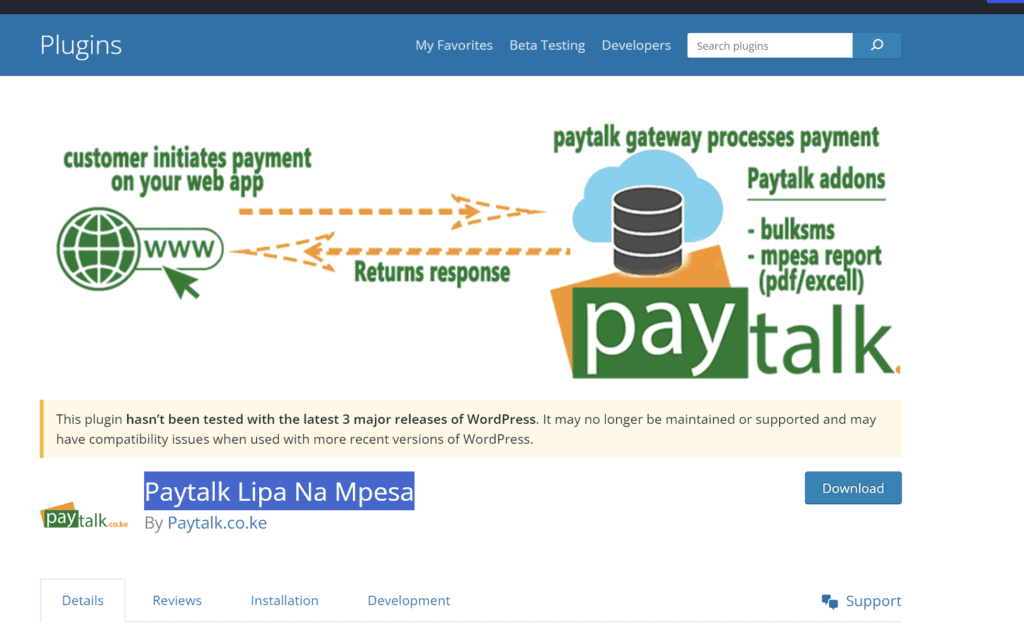
This plugin simplifies the process of setting up M-Pesa as a payment option, requiring only a Paybill or Till number linked to Safaricom’s Daraja Portal.
- Features:
- Adds M-Pesa payment option to WooCommerce checkout.
- Supports Paybill and Till number integration.
- Simple setup and user-friendly interface.
- Pros:
- Facilitates secure and convenient payments.
- Expands payment options for customers.
- Suitable for businesses targeting the Kenyan market.
- Cons:
- Limited to regions where M-Pesa is available.
- Requires additional setup with Safaricom’s Daraja Portal.
- Pricing: The plugin is free to download, but integrating M-Pesa services may incur costs.
By incorporating the Paytalk Lipa Na Mpesa plugin into your M-Pesa WordPress Plugins arsenal, you can offer a more diverse range of payment solutions to your customers.
5. EeroPay Payment Gateway
The EeroPay payment gateway plugin is a versatile addition to the array of M-Pesa WordPress Plugins, enabling merchants in Kenya and across Africa to link their online stores to the M-Pesa mobile money payment gateway.
This plugin is particularly useful for businesses looking to accept payments through M-Pesa PayBill or Till numbers.
- Features:
- Supports M-Pesa PayBill or Till STK Push for direct payments.
- Offers a 2D checkout process for a streamlined payment experience.
- Allows for custom setup with Daraja Credentials.
- Pros:
- Facilitates easy integration with M-Pesa for WooCommerce sites.
- Enhances the payment process with secure and convenient mobile money transactions.
- Provides a free version with essential features for startups and small businesses.
- Cons:
- Advanced features like callbacks and auto-update of order statuses are available only in the paid version.
- Limited to regions where M-Pesa is operational.
- Pricing: The plugin offers a free version with basic features. The paid version includes additional functionalities such as callbacks and automatic order status updates.
Does WooCommerce Support Mpesa?
Yes, WooCommerce does support Mpesa through the use of various plugins. These plugins enable businesses to easily integrate Mpesa as a payment option in their WooCommerce-powered online stores.
By utilizing plugins such as Paytalk Lipa Na Mpesa, WooCommerce M-PESA Payment Gateway, and others, store owners can provide their customers with a convenient and secure way to make payments using Mpesa, enhancing the overall shopping experience.
What is the API key for M-PESA?
The API key for M-PESA is a unique identifier provided by Safaricom when you register for access to the M-PESA API. This key is used to authenticate your application’s requests to the M-PESA API, allowing you to perform transactions such as sending money, receiving payments, and querying account balances.
To obtain an API key, you need to create an account on Safaricom’s Developer Portal and register your application.
Once registered, you will be provided with the API key, which you should securely store and use in your application’s API requests.
How Do I Add Mpesa Payment To My Website?
To add Mpesa payment to your WordPress website, follow these steps:
- Select a Plugin: Choose a plugin that integrates Mpesa with WordPress, such as the WooCommerce M-PESA Payment Gateway or Paytalk Lipa Na Mpesa.
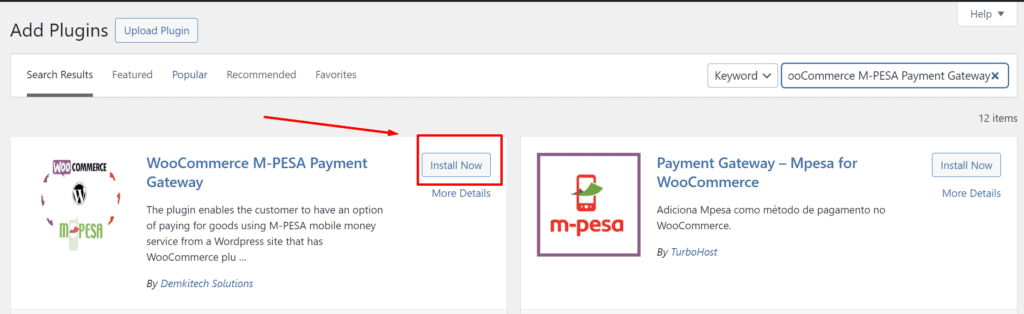
- Install and Activate: Install the chosen plugin on your WordPress site and activate it.
- Configure Plugin Settings: Navigate to the plugin settings and enter your Mpesa details, such as the Paybill or Till number, and other required information.
- Test the Integration: Perform a test transaction to ensure that the Mpesa payment gateway is functioning correctly on your website.
- Go Live: After successful testing, your website is ready to accept Mpesa payments from customers.
For detailed instructions and screenshots, refer to the documentation of the specific plugin you are using.
Wrapping Up
The plugins we have covered above are my top picks for integrating M-Pesa into your WordPress site. While I’m confident that you’ll find a plugin that meets your needs, I’m open to suggestions.
If you have feedback or know of another great M-Pesa plugin, please leave a comment below. Integrating M-Pesa can greatly improve your customers’ payment experience, and with the variety available, there’s likely a perfect fit for your business needs.